

Running a small service business means your income depends entirely on getting paid promptly, yet many personal trainers, wellness professionals, and independent service providers still chase clients for payment weeks after delivering their work. If you want to accept online payments for your small service business without the admin headache, the good news is that the process is far simpler than most people assume. This guide covers everything from initial setup and choosing the right payment method, to avoiding the mistakes that quietly drain your cash flow.
Table of Contents
- What you need to accept online payments as a small service business
- Choosing the right payment method for your business
- Step-by-step: how to accept online payments effectively
- Common mistakes to avoid and troubleshooting tips
- What to expect after you start accepting online payments
- The hidden benefits and realities of online payments for small service businesses
- Get started with seamless online payment and booking software
- Frequently asked questions
Key Takeaways
| Point | Details |
|---|---|
| Prepare essential documents | Gather your business details, photo ID, and bank account to verify with payment processors quickly. |
| Choose payment options wisely | Balance cost and speed by selecting card payments for convenience and ACH for lower fees on large invoices. |
| Invoice promptly after service | Send invoices or payment links immediately after completing service with clear payment terms to speed collections. |
| Avoid common pitfalls | Complete identity verification, test payments, and set up retries to prevent payment delays and revenue loss. |
| Use integrated software | Adopt booking and payment tools like Nextro to streamline payments, scheduling, and client management. |
What you need to accept online payments as a small service business
Having the right setup in place is the crucial first step before you start accepting payments online. Skipping this preparation is exactly why so many small businesses hit avoidable delays.
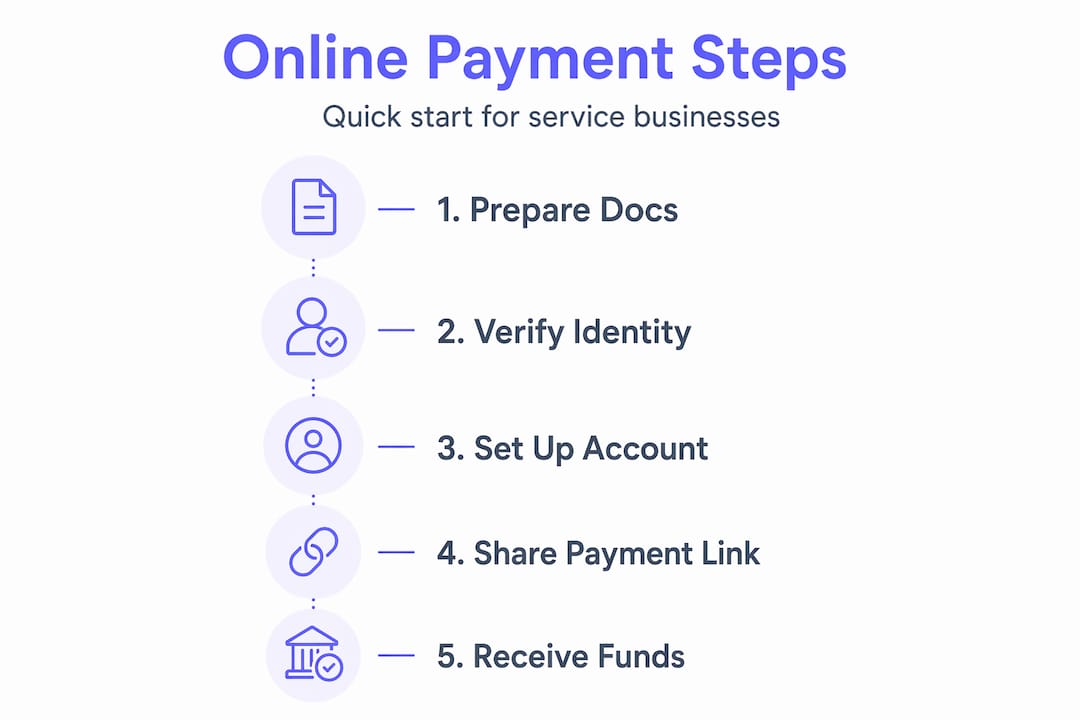
Here is what you need before you process your first payment:
- Proof of identity. A valid passport or driving licence is standard for most payment processors.
- Business details. Your registered business name, address, and company registration number if applicable.
- A linked bank account. Payouts cannot land anywhere without one. Use a dedicated business account where possible.
- A device and internet connection. A smartphone is enough to manage invoices and payment links.
- A chosen payment processor. Stripe and QuickBooks Payments are two of the most widely used options for small service businesses.
Stripe identity verification typically takes 5 to 10 minutes with documents ready, or up to 24 hours if manual review is needed. Having everything prepared before you sign up cuts that waiting time significantly.
| Requirement | Why it matters | Time to arrange |
|---|---|---|
| Photo ID | Identity verification by processor | Immediate if you have it |
| Bank account details | Receiving payouts | 1 to 2 days if new account |
| Business registration info | Compliance and fraud prevention | Immediate |
| Payment processor account | Processing transactions | 10 to 30 minutes |
Pro Tip: If you work as a sole trader, your personal bank account is acceptable for payouts, but a separate business account makes reconciling income far easier come tax time.
For those in the fitness and wellness space, understanding how to accept payments as a personal trainer involves a few extra considerations around packages and recurring sessions that general guides often miss.
Choosing the right payment method for your business
Once your setup is ready, selecting the ideal payment method tailored to your business ensures transactions go smoothly for both you and your clients.
The three main options for small service businesses are card payments, ACH bank transfers, and invoicing via payment links. Each has a different cost profile and settlement speed.
| Payment method | Typical fee | Settlement time | Best for |
|---|---|---|---|
| Credit or debit card | 1.4% to 2.9% plus fixed fee | Same day to 2 days | Sessions under £500, quick checkout |
| ACH bank transfer | 0.5% to 0.8% (capped) | 1 to 3 business days | High-value invoices, recurring billing |
| Payment link or invoice | Depends on method used | Varies | Flexible, no website needed |
More than 80% of shoppers prefer paying by card over cash, and accepting cards online speeds up collection considerably. That stat alone should settle the debate about whether to bother with card payments.

However, for invoices above £500, the maths shifts. ACH payments save up to 90% on fees compared to card transactions at that value. A £1,000 invoice charged at 2.9% costs you £29 in fees. The same invoice via ACH might cost under £3.
Key considerations when choosing your method:
- Client preference. Most retail clients expect card payment. Corporate or business clients are more comfortable with bank transfers.
- Invoice size. Card fees become expensive on large amounts. ACH is worth the slightly slower settlement.
- Recurring billing. If you run monthly memberships or package deals, look for a processor that handles automatic recurring charges.
- Convenience. Payment links sent via text or email require zero technical setup and work for clients who are not particularly tech-savvy.
Good personal trainer payment software will often handle multiple payment methods from a single interface, so you are not juggling separate tools. For those already using Stripe, understanding Stripe payments for personal trainers specifically can help you configure fees and payouts correctly from day one.
Pro Tip: For high-value packages, offer ACH as the default but keep card as an option. Most clients will not mind the slightly slower transfer when you frame it as the standard process.
Step-by-step: how to accept online payments effectively
With the best payment method chosen, following these practical steps will help you execute smooth transactions from the start.
-
Sign up and verify your account immediately. Do not delay verification after signing up. Unverified accounts face payout holds that can last days or weeks. Have your ID and bank details ready before you begin.
-
Create your first invoice or payment link. Most processors let you do this within minutes of account approval. Keep the invoice clear: service description, amount, due date, and your bank or card details.
-
Send invoices promptly after service delivery. Sending invoices promptly with clear due dates and payment terms is one of the most reliable ways to get paid on time. Every day you wait is a day your client forgets.
-
Set up automatic payment retries. Failed payments are not always intentional. A card might expire or a bank might flag an unusual charge. Automatic retries recover revenue you would otherwise lose without any manual effort.
-
Test with a small transaction first. Before sending invoices to clients, run a £1 test payment to yourself. This confirms your bank account is correctly linked and payouts are flowing.
-
Reconcile payments with your accounting software weekly. Connecting your payment processor to accounting tools like Xero or FreeAgent means your records stay accurate without manual data entry.
-
Communicate payment terms upfront. Tell clients how you expect payment before the first session. Surprises at checkout create friction and delay.
Pro Tip: Add a payment link directly to your booking confirmation message. Clients who pay at the point of booking almost never cancel, which also protects your time.
For a detailed walkthrough tailored to fitness professionals, the accept payments guide for personal trainers covers package billing and session credits in practical detail. If you need to evaluate your current tools, payment software for trainers is worth reviewing before committing to a platform.
Common mistakes to avoid and troubleshooting tips
Avoiding these pitfalls will keep your payment flow smooth and your business financially healthy.
26% of small business owners have delayed their own salary because of payment processing delays. That is not a cash flow problem. That is a systems problem.
The most common errors small service businesses make:
- Leaving verification incomplete. An unverified account can hold your payouts indefinitely. Complete every step your processor requests, even if it feels repetitive.
- Delaying invoices. Sending an invoice three days after a session gives clients three days to mentally move on. Send it the same day.
- Ignoring failed payment notifications. If a client's card fails and you do not follow up, that revenue is gone. Set up automatic retries and a follow-up email sequence.
- Not passing ACH fees to clients on large invoices. If you absorb all transaction costs, your effective hourly rate quietly drops. Many processors allow you to add a service fee for card payments, which is entirely legal and increasingly common.
- Skipping test transactions. Discovering a broken payment link when a real client tries to pay is embarrassing and costs you the booking.
Pro Tip: Set a personal rule: if a client owes money and has not paid within 48 hours of the invoice being sent, your system should chase them automatically. Manual follow-ups are inconsistent and easy to forget.
For practical guidance on managing these issues without extra admin, trainer payment software tips covers how the right tools handle retries and reminders automatically.
What to expect after you start accepting online payments
Knowing what happens next helps you manage cash flow and client relations with confidence.
The first thing most new users notice is the payout hold. Stripe holds payouts for 2 to 7 days on new accounts until identity verification is fully complete. This is not a problem, it is a standard fraud prevention measure. Once your account is verified and you have processed a handful of transactions, payouts typically move to a rolling daily schedule.
What changes once you are fully set up:
- Faster collections. Online payments arrive days sooner than waiting for a cheque or a bank transfer initiated manually by the client.
- Fewer awkward conversations. When payment is built into the booking process, the money question never comes up in person.
- Better client behaviour. Clients who pay upfront cancel far less often. Prepayment creates commitment.
- Automatic record keeping. Every transaction is logged with a timestamp, amount, and client name, which makes VAT returns and year-end accounting considerably less painful.
| Scenario | Without online payments | With online payments |
|---|---|---|
| Invoice to payment | 5 to 14 days average | 1 to 3 days |
| Admin time per week | 3 to 5 hours | Under 1 hour |
| Cancellation rate | Higher without upfront payment | Lower with prepaid bookings |
| Record keeping | Manual spreadsheets | Automatic transaction logs |
For a clear picture of how Stripe payout expectations work in practice for fitness and wellness businesses, it is worth reviewing the specifics before you launch.
The hidden benefits and realities of online payments for small service businesses
Most guides on how to accept payments online focus on the mechanics. Set up an account, send an invoice, get paid. What they rarely address is the psychological and operational shift that happens when you stop chasing money manually.
When you accept payments via a mobile app or automated payment link, you are not just saving time. You are changing the dynamic of your client relationships. Money stops being an awkward topic that comes up after the session and becomes a neutral, administrative step that happens before you even meet. That shift matters more than most people realise, particularly for personal trainers and wellness professionals whose work is personal and trust-based.
Payment links let businesses without websites accept payments in minutes, which is genuinely useful for service providers who are not particularly technical. You do not need a website, a developer, or a complicated payment gateway for a small business. A link sent via WhatsApp works just as well.
The other underappreciated benefit is early adoption. Small service businesses that set up digital payment methods now build client habits around convenience. Clients who are used to paying online, booking online, and receiving automated reminders are stickier clients. They refer more, cancel less, and require less hand-holding.
There is also a real competitive edge here. Many independent trainers and wellness professionals still send bank transfer details by text and wait. If you offer online booking and payments in a single step, you look more professional and reduce the friction that causes potential clients to drift away before they even book their first session.
The honest reality is that the technology is not the hard part. The hard part is deciding to stop managing payments manually and trusting that automation will handle it correctly. Once you make that decision, the admin burden drops noticeably within the first week.
Get started with seamless online payment and booking software
If this guide has made one thing clear, it is that the right tools remove most of the friction from getting paid. Nextro is built specifically for small service businesses like personal trainers, fitness instructors, and wellness professionals who want to take bookings and collect payment without managing five different apps.
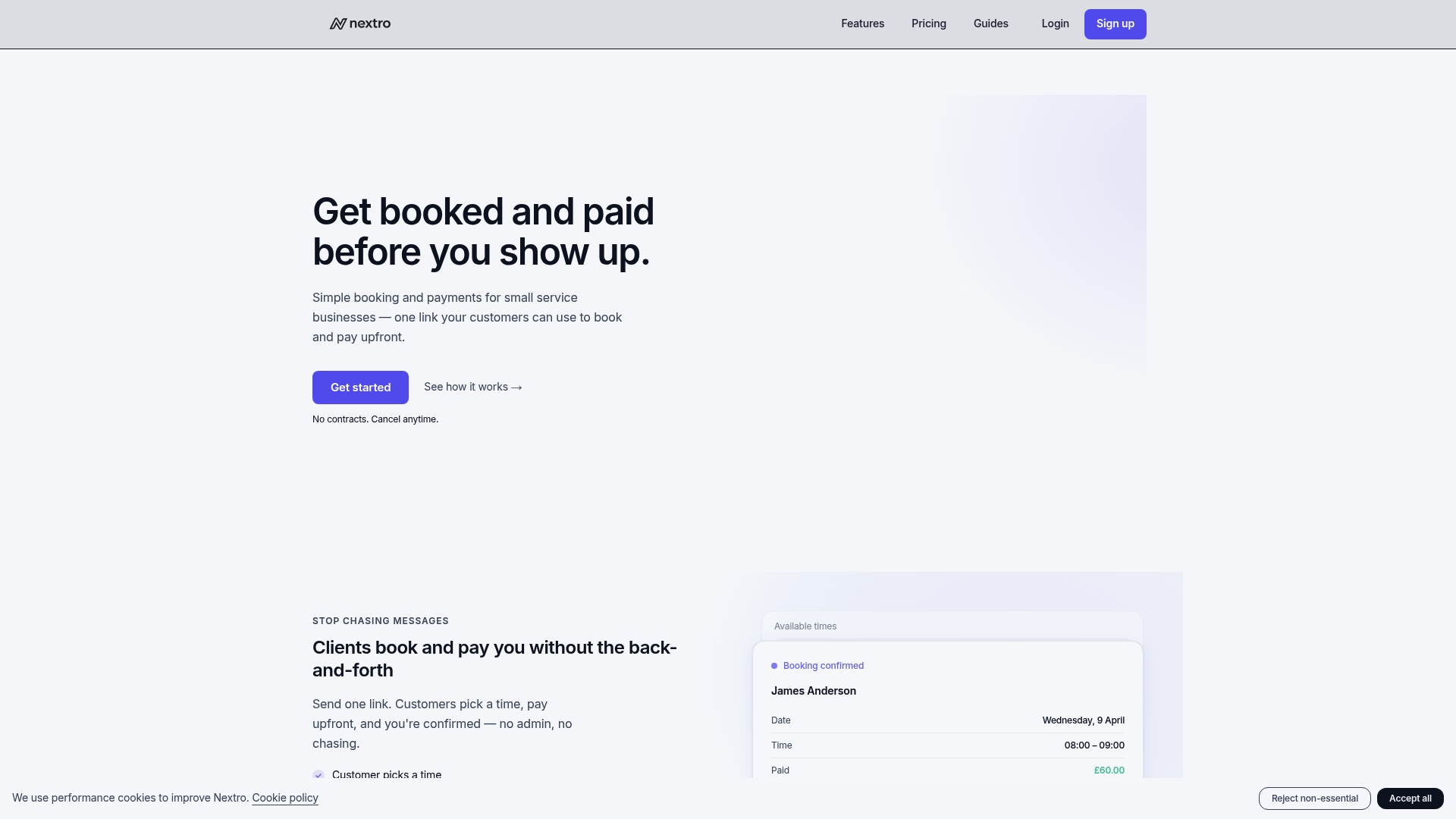
With Nextro, clients book directly through your personalised link, choose an available slot, and pay upfront via integrated Stripe processing before the session even begins. No chasing invoices. No missed appointments. No manual reconciliation. The Nextro personal trainer payment software handles payment collection, automated reminders, and direct bank payouts in one place, while the automatic scheduling software keeps your calendar organised without back-and-forth messages. Explore the full Nextro online payment features and see how straightforward running your business finances can actually be.
Frequently asked questions
What documents do small service businesses need to start accepting online payments?
You typically need proof of identity such as a passport or driving licence, your business details including a registration number if applicable, and a linked bank account for payouts. Stripe identity verification requires photo ID, business details, and bank information before releasing funds.
How long does it take to receive payments after invoicing clients online?
Card payments can clear within one to two business days once your account is verified, while ACH transfers typically settle in one to three business days. Initial Stripe payout holds of 2 to 7 days apply to new accounts until full verification is complete.
Are there cheaper alternatives to credit card payments for high-value service invoices?
Yes. ACH payments save up to 90% on fees compared to card transactions on invoices over £500, though they settle slightly slower. For high-ticket packages, ACH is the more profitable choice.
What should I do if a client's online payment fails?
Set up automatic retries through your payment processor and verify your email domain to reduce delivery failures. Automatic retries on failed invoices recover 15 to 20% more revenue when email domains are properly verified.
Can I accept online payments without a website?
Absolutely. Payment links let service businesses without websites accept payments via email or text in under 10 minutes, with no coding required. A simple link sent through any messaging app is all you need to get started.